Getting Started with Online Coaching Software: How to Launch Faster with TurnKey Coach
The fastest way to learn your coaching software isn’t to master every feature — it’s to coach someone.
Online Coaching Software Should Make Coaching Simpler
Getting started with online coaching software should make your coaching business simpler, not more complicated. The right platform should help you coach more clearly, communicate more consistently, and manage clients without needing a messy stack of spreadsheets, messaging apps, payment links, forms, and video tools.
The problem is that many coaches sign up for a coaching platform and then get stuck before they experience the real value. They log in, click around, look at a few features, and start thinking about everything they might eventually need to build. Before long, the process feels bigger than it really is.
The best way to get started is not to master every feature at once. The best way to get started is to coach. TurnKey Coach is built to help coaches move from setup to action faster by focusing on the core work that matters most: programming, communication, feedback, onboarding, and client management.
Start by Coaching Yourself
One of the simplest ways to learn TurnKey Coach is to coach yourself first. This gives you a low-pressure way to experience the platform from both sides: the coach side and the client side. You can write your own program, download the app, complete a workout, upload videos, and see what the process feels like for the person being coached.
That matters because online coaching is not just about delivering workouts. A good online coaching experience includes programming, logging, messaging, feedback, video review, adjustments, and accountability. When you coach yourself first, you can better understand what your clients will see, where they might have questions, and how the full coaching loop works.
This also helps remove the pressure of needing a perfect setup before taking action. You do not need a complete business system, a polished onboarding funnel, or every template finished before you can start learning the platform. You need to write a program, complete a workout, review it, and understand how the basic coaching workflow fits together.
Find the First Value Moment
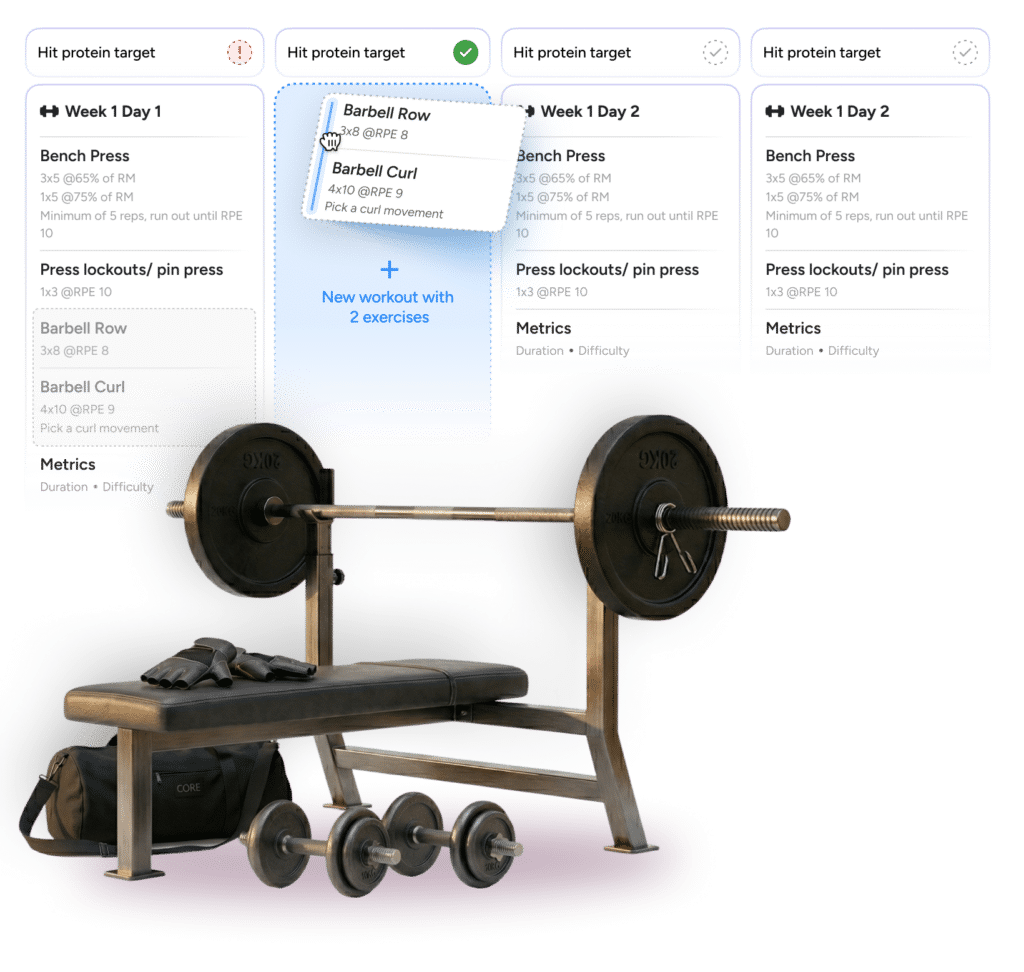
Every coaching platform has features. What matters is how quickly those features help you coach better. For many coaches, the first value moment in TurnKey Coach comes from the calendar and programming workflow. The calendar feels familiar, and the programming process is organized around the way coaches already think: days, workouts, exercises, notes, videos, and adjustments.
This is especially helpful for coaches who are used to spreadsheets, paper programming, or apps that make simple changes feel unnecessarily complicated. A coach needs to be able to see the week, adjust the plan, respond to what happened in training, and keep the client moving forward without fighting the software.
The goal is not just to build workouts. The goal is to make coaching feel smoother. When the platform starts to feel like an extension of your coaching process instead of an obstacle, you are much more likely to keep using it, bring clients into it, and build a better system around it.
Bring on One Trusted Client
After coaching yourself, the next best step is to bring on one trusted client. This could be a current client, a friend, a beta client, or someone who understands that you are testing a better coaching process. The goal is not to make a massive business transition overnight. The goal is to experience the full coaching loop with a real person.
That loop is simple but important. You write the program. The client completes the workout. They log their training. They upload videos or notes. You review the work, give feedback, and adjust the next step. Then you repeat the process.
Once that loop feels clear, adding more clients becomes much easier. The platform stops being an abstract tool and becomes part of your actual coaching practice. You begin to see where it saves time, where it improves communication, and where it creates a better client experience.
Use the Calendar to Program Clearly
The calendar is one of the most important parts of getting started with TurnKey Coach because it gives your coaching structure. Instead of thinking in isolated workouts or disconnected messages, you can see the client’s training in context. That makes it easier to plan, adjust, and understand what is happening over time.
For coaches who are used to spreadsheets, this can feel familiar in the best way. You still get the clarity of seeing training laid out across days and weeks, but you also get the benefits of a dedicated coaching platform. Exercises, notes, videos, client history, and communication can live closer to the actual training plan.
This helps reduce the clutter that often comes with online coaching. A coach should not need one system for programming, another for videos, another for messaging, another for check-ins, and another for client notes. The more scattered the workflow becomes, the more mental energy the coach spends managing tools instead of coaching clients.
Build Confidence With Teaching Progressions
A coach needs a repeatable way to teach. That is where teaching progressions matter. A good teaching progression gives the coach a structure for taking someone from not knowing a movement to performing it well enough to train.
CJ explained that a coach should have a systematic plan for the lifts or movements they intend to teach. If the coach is going to teach the squat, deadlift, bench press, or press, they need a basic progression that lets them teach the movement efficiently and confidently. The same principle applies beyond barbell training. A sprint coach, sport coach, or conditioning coach still needs a way to break the skill down and build it back up.
The goal is not a long lecture. The goal is a client who moves better. CJ summarized good teaching progressions as concise, focused on what the lifter is doing, and built around progressive steps or drills. If the coach is talking too long, the lifter is not practicing enough.
This is why the first session should not be a theory dump. The client should leave thinking, “I learned how to squat,” “I learned how to deadlift,” or “I finally understand what this is supposed to feel like.” That experience builds trust faster than an impressive explanation.
Use the Connect Page for Daily Coaching
Programming is only one part of online coaching. The real daily work happens when clients complete workouts, upload videos, send messages, and need feedback. That is where the Connect page becomes valuable.
The Connect page helps coaches manage the daily coaching workflow more efficiently. Instead of jumping from client to client, message to message, or app to app, the coach can move through the work that needs attention. This makes it easier to stay organized and respond consistently.
For growing coaches, this matters a lot. Saving a few minutes per client may not seem like much when you only have a handful of clients, but it compounds quickly. A smoother feedback workflow can become the difference between sustainable coaching and feeling buried by your own client load.
Keep Communication in One Place
Client communication is one of the easiest parts of online coaching to underestimate. At first, texting clients, emailing updates, and sending quick messages across different apps might feel manageable. But as the client roster grows, scattered communication becomes a serious bottleneck.
Keeping communication closer to the training process helps both the coach and the client. The client knows where to ask questions, where to receive feedback, and where to look for direction. The coach has better context when reviewing training, answering questions, and making changes.
This is one of the reasons online coaching software matters. The value is not just that it stores workouts. The value is that it helps create a more professional coaching relationship, where training, feedback, expectations, and communication are easier to manage together.
Do Not Drag Out the Transition
One of the hardest parts of switching online coaching software is trying to use two systems at the same time. A coach may have some clients in one app, others in a spreadsheet, a few messages in email, payments somewhere else, and onboarding forms in another tool. At first, keeping everything alive can feel safer.
Over time, though, this usually creates more friction. The coach has to remember where each client lives, which system contains the latest update, and where each conversation happened. That adds unnecessary mental load and makes the transition feel harder than it needs to be.
When a coach is ready to switch, the better path is usually to make a clear plan and move deliberately. There may still be some short-term friction, but it is usually less painful than spending weeks or months juggling two systems and never fully committing to the new workflow.
Transition Clients with a Clear Plan
Moving clients into a new coaching platform does not have to be chaotic. The key is to know what needs to happen before the client receives the invitation. The coach should understand the offer, the service level, the onboarding process, the communication expectations, and the first training assignment.
This is where many coaches get stuck. The software question quickly becomes a business question. How many check-ins should clients receive each week? What should be included in the coaching offer? How should nutrition be handled? Should different service levels have different boundaries? How should pricing change if the service improves?
These questions are important, but they do not need to stop progress. A coach can start with the current offer, build the basic structure inside TurnKey Coach, and refine over time. The goal is to get clients into a better system, not to solve every business question before taking the first step.
Make the Client Experience Simple
Clients do not need to understand every feature in the coaching platform. They need to know what to do next. That means the onboarding process should be simple, clear, and focused on action.
A good client experience tells the client where to accept the invitation, where to find training, how to log workouts, how to upload videos, and how to communicate with the coach. When those steps are clear, the technology gets out of the way and the client can focus on training.
This is especially important for coaches who work with clients who are less comfortable with technology. The simpler the first experience feels, the faster clients can build confidence. A good coaching platform should support that process instead of overwhelming the client with unnecessary complexity.
Match the Platform to Your Offer
TurnKey Coach can support many different coaching models. Some coaches offer basic programming and feedback. Others offer high-touch coaching, nutrition support, onboarding forms, resources, payment links, integrations, and multiple service levels. The point is not to use every feature immediately. The point is to build around the business you actually run.
If your offer includes two check-ins per week, the platform should support that boundary. If your offer includes unlimited feedback, the workflow should reflect that higher level of service. If you coach nutrition, your nutrition process should be clear. If you do not coach nutrition, you do not need to overbuild that part of the system.
This is how software becomes useful instead of overwhelming. Start with your coaching model, then use the tools that support it. The platform should help clarify your business, not force you into a generic coaching structure that does not fit your clients or your service.
Use Templates to Save Time
Templates are one of the easiest ways to make online coaching more efficient. Once you have a structure that works, you should not have to rebuild it from scratch for every client. Templates allow you to preserve the parts of your coaching process that repeat while still leaving room for individualization.
This can apply to training programs, onboarding flows, nutrition structures, resources, and common client communication. A coach who uses templates well can save time without making the coaching feel generic. The template provides the starting point, and the coach still applies judgment, adjustments, and personal feedback.
For a growing coaching business, this is essential. Without templates, every new client can feel like starting over. With templates, each new client starts from a clearer system, and the coach can spend more energy on the decisions that actually require coaching expertise.
Centralize Onboarding, Forms, and Resources
Client onboarding often becomes messy because coaches use too many disconnected tools. A form might live in one place, a waiver somewhere else, payment links in another system, training instructions in a document, and client communication in a separate app. That can work for a while, but it gets harder to manage as the business grows.
Centralizing onboarding helps both the coach and the client. The coach knows where the information lives. The client has a clearer path to follow. Important details are less likely to get lost. The entire coaching relationship starts with more structure.
This also creates a more professional first impression. When a client signs up, receives clear instructions, completes the right forms, and knows where to begin, they are more likely to trust the process. That trust matters, especially in online coaching, where the relationship depends on clarity, communication, and follow-through.
Do the Basics Before You Build the Perfect System
The fastest way to get started with online coaching software is to avoid trying to master everything immediately. Start with the core actions that matter most. Write a program. Complete a workout. Upload a video. Review the workout. Send feedback. Bring on one client. Build from there.
A coach does not need a perfect system before starting. In fact, waiting for the perfect system often delays the real learning that only comes from using the platform with actual clients. You will learn more from coaching one person through the process than from spending weeks trying to imagine every possible scenario.
This does not mean setup is unimportant. It means setup should serve action. The goal is to create enough structure to begin coaching well, then improve the system as you learn what your clients need and how your workflow should operate.
Use Support When You Hit Sticking Points
Every coach hits sticking points when learning a new system. Sometimes the question is technical. Sometimes it is strategic. Sometimes it is really a business model question disguised as a software question.
That is normal. A coach might understand how to set the number of weekly reviews, but still wonder what that means for the coaching offer. They might know how to create an onboarding form, but still need to decide what information matters most. They might know how to create a product, but still be thinking through pricing, service levels, and client expectations.
Good support helps coaches move through those sticking points faster. The goal is not just to explain which button to click. The goal is to help the coach understand how the platform supports the coaching business they are trying to build.
Build Momentum Before Complexity
Once the basics are working, it becomes much easier to add complexity. A coach can start with programming, messaging, and feedback, then add onboarding forms, resources, storefronts, nutrition systems, integrations, and more refined service levels as needed.
This order matters. Complexity is useful when it supports a working system. It becomes a problem when it prevents the coach from starting. The best approach is to build momentum first, then improve the system in layers.
TurnKey Coach is designed to grow with the coach. A new coach can start simple. An established coach can build a more complete operation. In both cases, the goal is the same: coach better, save time, communicate clearly, and create a smoother experience for clients.
Move from Setup to Coaching
Getting started with online coaching software should lead to action. The goal is not to explore every feature or build the most elaborate system possible. The goal is to coach clients better and make the business easier to run.
That starts by focusing on the essentials. Learn the programming workflow. Understand the client experience. Use the Connect page. Bring on one client. Build a simple onboarding process. Then refine the system as you go.
When coaches take this approach, the software becomes less intimidating. It becomes a tool for action instead of another project to manage. That is the difference between signing up for a platform and actually using it to build a better coaching business.
Launch Faster with TurnKey Coach
TurnKey Coach helps coaches launch faster by bringing the core parts of online coaching into one place. Programming, feedback, communication, onboarding, resources, and client management are easier to handle when they are organized around the actual coaching relationship.
This matters whether you are just getting started or transitioning an existing business. New coaches need a simple way to begin. Established coaches need a better way to scale without adding unnecessary friction. In both cases, the right software should make the path clearer.
Start simple. Coach yourself. Bring on one trusted client. Build momentum. Then use the platform to support the coaching business you actually want to run.
Demo
Discovery Call
Let’s discuss how we can help enhance your coaching with the tools to create services, onboard, program, and communicate with clients in one place.
Book free call